Reporting an issue
Issues → New issue. The form mirrors what the bydynamics team works with, so what you file is what they see.
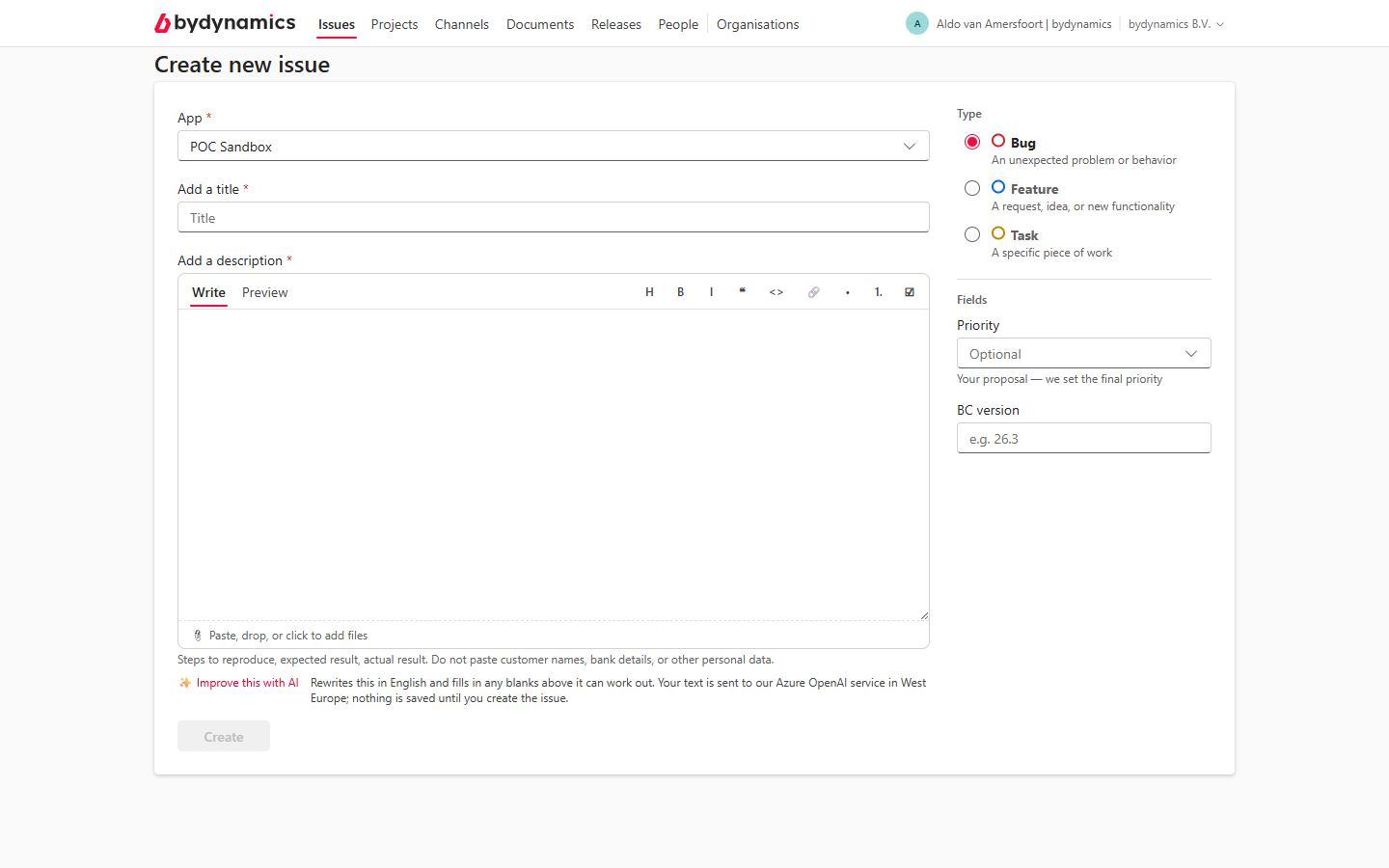
The form
- App — which product this is about. If you're unsure, pick the closest; the team corrects it if needed.
- Add a title — one line saying what is wrong. The description carries the detail; the title is how everyone finds it later.
- Add a description — steps to reproduce, what you expected, what happened. Paste, drop, or click to add files: screenshots land in the description and upload the moment the issue is created.
No personal data
Do not paste customer names, bank details, or other personal data. Screenshots of ledgers and address cards count too — crop before you paste.
Type and fields
On the right you propose how the issue should be classified:
- Type — Bug (something is broken), Feature (a request or idea), or Task (a specific piece of work).
- Priority — your proposal, in four steps from Low to Urgent. The bydynamics team sets the final priority; your proposal tells them how it lands on your side.
- Target date — for a Feature: when you'd need it. A wish, not a booking.
- BC version — the Business Central version you saw the problem on (e.g. 26.3).
✨ Improve this with AI
Under the description sits Improve this with AI. Press it and your draft comes back as a structured report, in English — including whatever is readable in your pasted screenshots. It fills only fields you left blank (a summary, a version, the app) and never overwrites what you typed. Undo restores your original in one click.
- It needs something to work with: about 40 characters, or a screenshot.
- Your text and screenshots are sent to our Azure OpenAI service in West Europe; nothing is saved until you press Create.
- It is an offer. The words stay yours to edit, and you can file without ever touching it.
What happens when you press Create
The issue opens as a thread, your screenshots attach to it, and the bydynamics team is notified. Everyone at your organisation can read it — issues are your organisation's shared record, not a private mailbox.